
Cloud Storage
Hard disks can't be feeling very happy these days: from music to movies, email to invoices, we're increasingly storing our important data in the cloud.
Now that reliable and fast broadband and mobile broadband are available to most of us, the lure of the cloud is getting stronger – and it's being helped by a price war between competing cloud providers.
What's so great about the cloud?
.jpg?crc=216113154)
Convenience.
You're probably already using a cloud-based email service such as Gmail, Outlook or similar, so you'll be familiar with the idea of accessing it on whatever device happens to be handy: your smartphone, laptop, tablet, or even a borrowed PC in a hotel lobby.
Cloud computing brings that convenience to everything. Instead of transferring media files to your phone you simply stream MP3s or movies from faraway servers.
Instead of copying crucial documents to flash drives or burning them to disc, you stick them in the cloud where they can't be left in the office or on a train.
Even more conveniently, much of this happens automatically – so for example cloud-based music services know when you've bought new music and make it available to all your devices immediately, and cloud-based storage knows when you've updated a file and updates its copy accordingly.
What are the downsides?
The cloud isn't much cop without an internet connection, although most services enable you to download files for times when you won't be able to get online.
Some services are limited to specific hardware, although that has become less of an issue since Apple launched iCloud Drive as part of iOS8.
There are also financial considerations. Cloud services generally have multiple tiers, with a free service for casual use and paid-for versions for more serious or demanding users. As you'll discover, there are huge differences between the various providers' prices.
Google Drive
Google
.jpg?crc=442607537)
Google has spent a lot of time refining its many cloud services, and there have been a few changes – so for example Google Docs has been rolled into the wider Google Drive service.
Drive's price plans have just been revamped, and there are now six tiers.
Free accounts come with 15GB of storage, and if you need more you'll pay $1.99 per month for 100GB, $9.99 for 1TB and so on, rising to $299.99 for 30TB.
That storage is shared across three Google properties – Drive, Gmail and Google+ Photos – but it's only used for certain things. The documents, presentations or spreadsheets you build in Google Drive don't use any of your storage capacity, and neither do photos in Google+ if they're smaller than 2048 x 2048 pixels.
Google also offers a version of Drive for business users, which starts at US$5.50 per user per month plus taxes. That provides 30GB of storage and guaranteed uptime (99.9%). If you want unlimited storage that's US$11 per user per month.
Getting collaborative
Google Drive is designed to do two things: create and share documents, and share files. By default you can create a new document, presentation, spreadsheet, form or drawing, and you can also connect third-party apps to add features such as note-taking, mind mapping, diagramming and even interior design.
Files you store on Drive can be accessed from phones and tablets with the Google Drive apps, and there are also desktop apps for PC and Mac that can automatically synchronise files between your computer and your Drive.
Google's own apps aren't as comprehensive as, say, Microsoft Office, but they aren't supposed to be – they're fast, easy to use and make commenting and collaborating effortless. Also, if you team them up with Google Mail and Google Calendar you're covered for most everyday business tasks.
Google's cloud computers are designed as thin clients for Google's many online services. Sergey Brin called them a "new model of computing", but are they ready for primetime?
Forrester Research says yes, especially for business users. Speaking to business IT decision makers in the UK, Canada, France, Germany and the US, 28% of respondents said they were interested in Chromebooks.
The attraction is their simplicity. According to Forrester analyst JP Gownder, where deploying Windows PCs "requires time and effort from infrastructure and operations (I&O) professionals... Chromebooks require very little imaging; pilot users say any given device can be configured for a new user in under 15 minutes."
Low overheads, coupled with the ultra-low cost of Chromebooks, their simplicity and their suitability for mobile working, mean they're ideal business machines – unless you're doing business in China, where Gmail and Google Apps don't work.
Dropbox
Dropbox
.jpg?crc=60812455)
Dropbox has over 300 million users, saving a billion files every day, 4 million business customers, of which 80,000 are corporate one.
The firm has supplemented its file and folder APIs with data APIs, enabling mobile app developers to share data as well as files over the service.
That's important because, unlike some rivals, Dropbox is multi-platform. You can install it on a Mac or PC, on a BlackBerry or a Kindle Fire, on an iPhone or iPad or Android device.
You can use it to sync and access music files, photos or movies, or you can use it as a hard drive in the sky, or you can use it for any other kind of content.
For example, apps such as Scrivener and Onenote writing programs work with Dropbox so all your notes and scribbles are available from any device.
Dropbox's very nature as a multi-platform provider means it is constantly making moves to remain relevant and the past six months has seen plenty of activity when it comes to Microsoft Office. Among the features that have already been implement are the ability to collaborate on Office documents across Windows and Macs using Dropbox plus users can edit the same documents inside Office Online.
Add this to the new apps for Windows tablets and smartphones and the fact that Dropbox for iOS will soon allow you to edit Office documents inside the app without leaving, and you get to see why so many still opt for Dropbox over other offerings.
OneDrive
Microsoft
Microsoft's been doing the cloud computing thing for decades: Hotmail (later Windows Live Hotmail, and now Outlook.com) was one of the first web-based email services, and Microsoft bought it back in 1997 when nobody really knew what cloud computing was. Its Azure platform powers many big businesses, and Xbox Live brought all kinds of entertainment to the Xbox.
When Google Docs first appeared, Microsoft didn't see it as a threat, but that belief has clearly changed. Today, Microsoft offers a range of cloud-connected Office services including the free Office Web Apps and the subscription-based
Office 365
Like Google, Microsoft has been revising its various cloud offerings, so for example its Live Mesh file syncing service was retired and replaced with SkyDrive. Legal action from Sky forced a name change, and SkyDrive is now known as OneDrive.
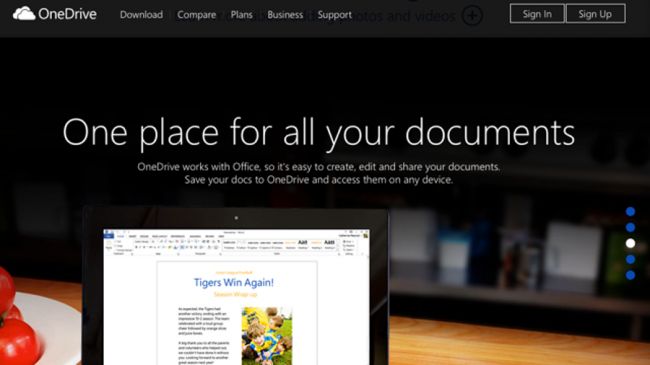
OneDrive is rather similar to Google Drive: you can use it to share and synchronise files between different devices, and you can create Word documents, Excel workbooks, PowerPoint presentations, OneNote notebooks and Excel surveys inside your browser.
In an aggressive move, Microsoft has dramatically increased the OneDrive storage from 7GB to 15GB for free users, and to a whopping 1TB for Office 365 subscribers.
If you don't want to subscribe to Office, extra storage is $1.99 per month for an additional 100GB.
OneDrive apps are available for Windows Vista onwards, for the Mac, for Windows Phone, Android and iOS, and like Google Drive there are also third-party apps that can use OneDrive for synchronisation. Examples include sketching apps, document scanners, PDF managers, notepad apps and document signing apps.
iCloud Drive
Apple
.jpg?crc=4138127652)
It's safe to say that to date, Apple's cloud services were once disappointing. Storage space is miserly, we've been waiting for the European launch of iTunes Radio for several years now, we often find ourselves tearing our hair out at iTunes Match's refusal to update its library and up until earlier this year Apple only seemed interested in sharing between Apple devices and Apple programs.
That's starting to change, though. Apple's online iWork office suite has improved considerably since launch, the iCloud Drive service that launched with iOS 8 plays nice with Windows and storage space will increase, although competitors are still considerably more generous.
At the moment, iCloud gives you 5GB for free – and that's shared among all your devices, so if you want to back up an iPhone and an iPad you'll soon run out of space. Apple rejigged its iCloud offering to compete more effectively with Google, Microsoft and other vendors.
20GB, 200GB, 500GB and 1TB tiers now cost $0.99, $3.99, $9.99, $19.99 respectively. These are for monthly subscriptions; Apple has stopped doing annual ones.
iCloud Drive is here!
Once upon a time the charge levelled at the door of Apple's iCloud service was that it had too many limitations to be taken seriously on devices that didn't have the distinctive fruity logo on the back. iCloud Drive's release has blasted that assertion out of the water. On Apple devices it's as easy as upgrading to iOS 8 or OS X Yosemite and Apple will automatically upgrade your account. PC users just need to get the iCloud for Windows app and Windows 7 or later.
When it's all set up you're able to store and access documents from one place on all your devices, keep files and folders up-to-date across those same devices, create new files inside iCloud-enabled apps and work on the same files across devices. With iCloud's integration with Office and Office for iOS, this makes it an incredibly useful feature. Of course it still only works with apps that are supported by iCloud Drive but this is definitely a step in the right direction
